The short answer
Your phone is enough. Real photos of your truck, your crew and your work beat stock photos every time, because they show the customer exactly who is showing up. Shoot in daylight, wipe the lens, hold it sideways, take more than you need, and send them full size.
The number one thing that holds up a new website is not the design or the words. It is photos. Owners think they need a photographer, so they wait, and the site sits half done. You do not need one. You need an afternoon, the phone in your pocket, and a list. Here is the list.
Why real photos win
A stranger deciding whether to let you into their house, or hand you their car keys, wants to know who you are. A stock photo of a model in a clean hard hat tells them nothing. A slightly crooked photo of your actual truck in an actual driveway tells them a lot.
Real photos also tell Google something. A page full of the same stock images as a thousand other sites looks like every other page. Yours look like yours.
Look at that ratio. Of 357 photos, 143 made the cut. That is normal. Shoot a lot, and let the weak ones go.
The shot list
Here is what to get. Not every business needs every row, so skip what does not fit. Check them off as you go.
| Shot | What to get | Where it goes |
|---|---|---|
| Your truck or storefront | From the front, in daylight, sign readable. Clean it first. | Homepage, contact page, Google profile |
| You and the crew | Real people, real clothes, looking at the camera. One group, then each person. | About page, homepage |
| Work in progress | Hands on tools, the job half done, the mess that proves it is real. | Service pages |
| Before and after | Same spot, same angle, same distance. Shoot the before first, every job. | Service pages, homepage, posts |
| The finished job | Wide, then close on the detail you are proud of. | Service pages, a gallery |
| Your products | One item at a time, plain background, soft light. | Shop or menu pages |
| The details | Your sign, your logo on a shirt, the tools you trust. | Anywhere a section needs a break |
Before you take a single photo
Wipe the lens
Your phone lens lives in a pocket next to keys and dust. Wipe it on a soft shirt. This one step fixes more blurry, hazy photos than anything else.
Find the light
Daylight, with the sun behind you or off to the side. Overcast days are great, because the light is soft and even. Avoid noon sun straight overhead and avoid shooting into a window.
Turn off the flash
Phone flash makes everything look flat and harsh. If it is too dark without it, move to better light instead.
Use the main camera
Skip the digital zoom. Walk closer instead. Zooming in on a phone throws away detail you cannot get back.
Turn on the grid
In your camera settings, turn on the grid lines. Keep the ground level and the building straight. It is the quickest way to look more professional.
Sideways or tall?
Both, and here is why. A website shows wide photos across the top of a computer screen and tall ones on phones. A designer can crop a photo smaller, but never bigger.
- Hold the phone sideways for the main shots: the storefront, the truck, the crew, the finished job.
- Step back a little so there is room around the subject. I can trim, I cannot add.
- Take a tall one too of your best shots. They fit phones and Google profile posts.
Real examples from real sites
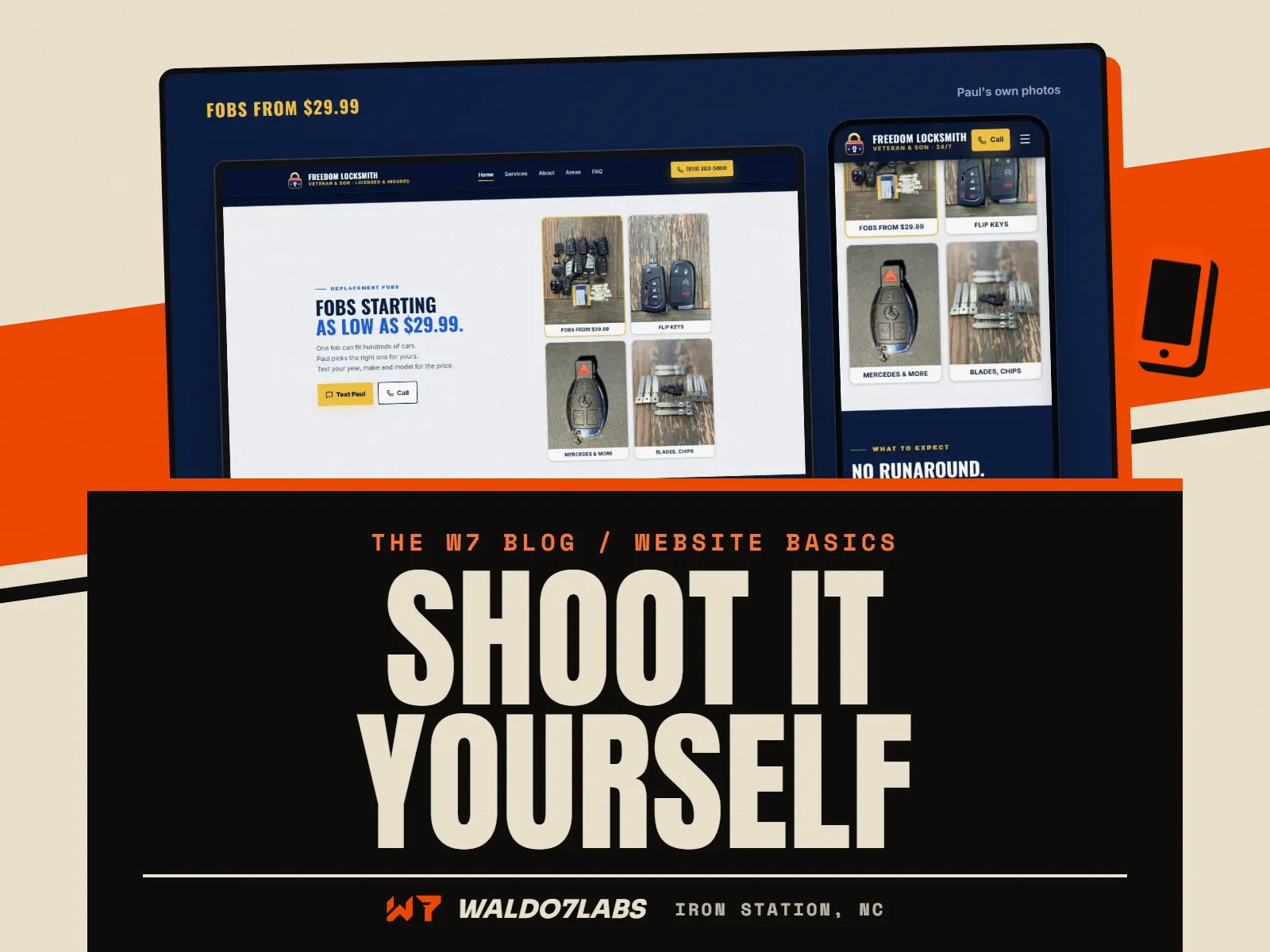
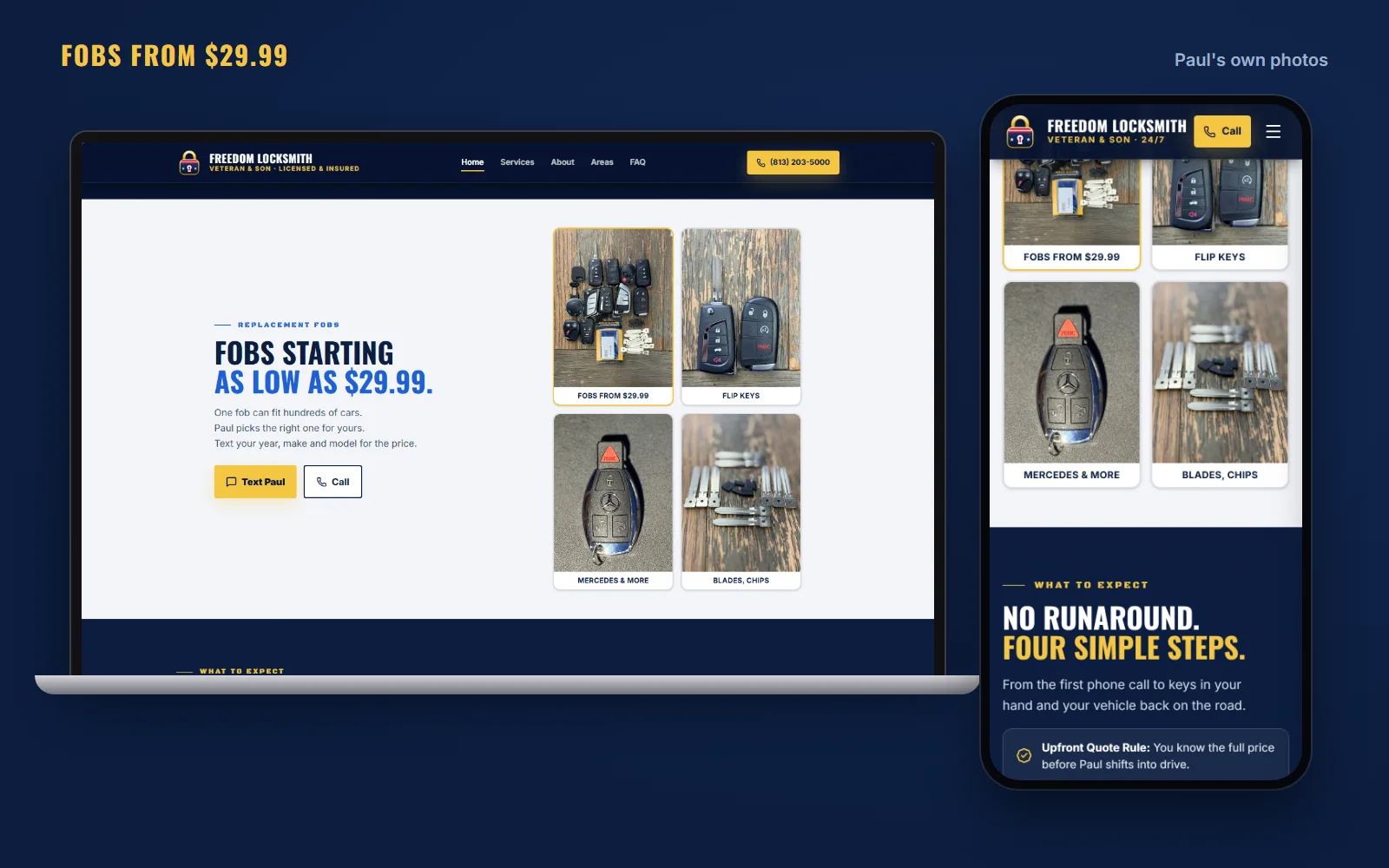
Paul at Freedom Locksmith did not want a store, he wanted a simple fob section. So the site shows his own photos of the fobs, flip keys and blades he carries, with his price. They are phone photos, on his own table, and they do the job.

Empire State Bulldogs breeds French Bulldogs in Albany, New York. Someone buying a puppy is about to spend real money with a stranger, so the site shows their own dogs: King Simba gets a page with his own photo gallery, and every available puppy gets a card with its own photos. A stock photo of a cute puppy would kill that trust instantly.
Cody at Wicked Kreations goes further. His site uses his own photos, captions and reels for every one of his 13 builds. His phone videos play on a drive in movie screen on the site. If you already post good stuff to social media, that is a pile of website photos waiting to be used. See it on the Wicked Kreations build.
What not to shoot
Leave these out, or fix them first
- Customers' faces, kids, house numbers or license plates without permission
- A dirty truck, a messy shop floor in the background, or trash in the frame
- Photos with a date stamp or a filter baked in
- Screenshots of photos (send the photo itself)
- Blurry shots, even if the job was great. Take it again.
- Anything with someone else's logo front and center
How to send them so they stay sharp
This is where good photos die. You text them, or send them through Messenger, and they arrive tiny and smeared. Facebook and most chat apps shrink photos to save space. On a website, especially across a big screen, that shows.
Text message
Got about 60 photos from today. Want me to send them on Messenger?
Use the shared album link I sent instead, so they stay full size. Messenger shrinks them.
Done, all 60 are in there.
Perfect. I'll pick the best and show you on the preview.
The good ways to send:
- A shared album. Google Photos, a Google Drive folder, or an iCloud shared album. I send you the link, you drop them in.
- Email, at actual size. iPhones ask what size to send. Pick Actual Size.
- AirDrop if you are ever in the same room, which with me is rare. I work by phone, video and email.
A photo afternoon, start to finish
Block two hours on a bright, overcast day. Wash the truck. Wipe the lens. Go down the shot list in order: truck and shop, crew, a job in progress, a finished job, details. Take ten of everything. Then pick a few favorites and send the whole pile anyway.
Keep going after launch. Snap a before and after on every job and drop them in the album. A site with fresh photos looks alive, and those photos make easy Google profile updates too.
Where photos fit in a new site
When I build a site, I start with your photos and design around them. Real photos make the first screen work. My post on what to put on your homepage shows how they lead on real sites I built. If you do not have any yet, we start anyway. You see a free preview of the top of your homepage, and the photos get swapped in as you take them.
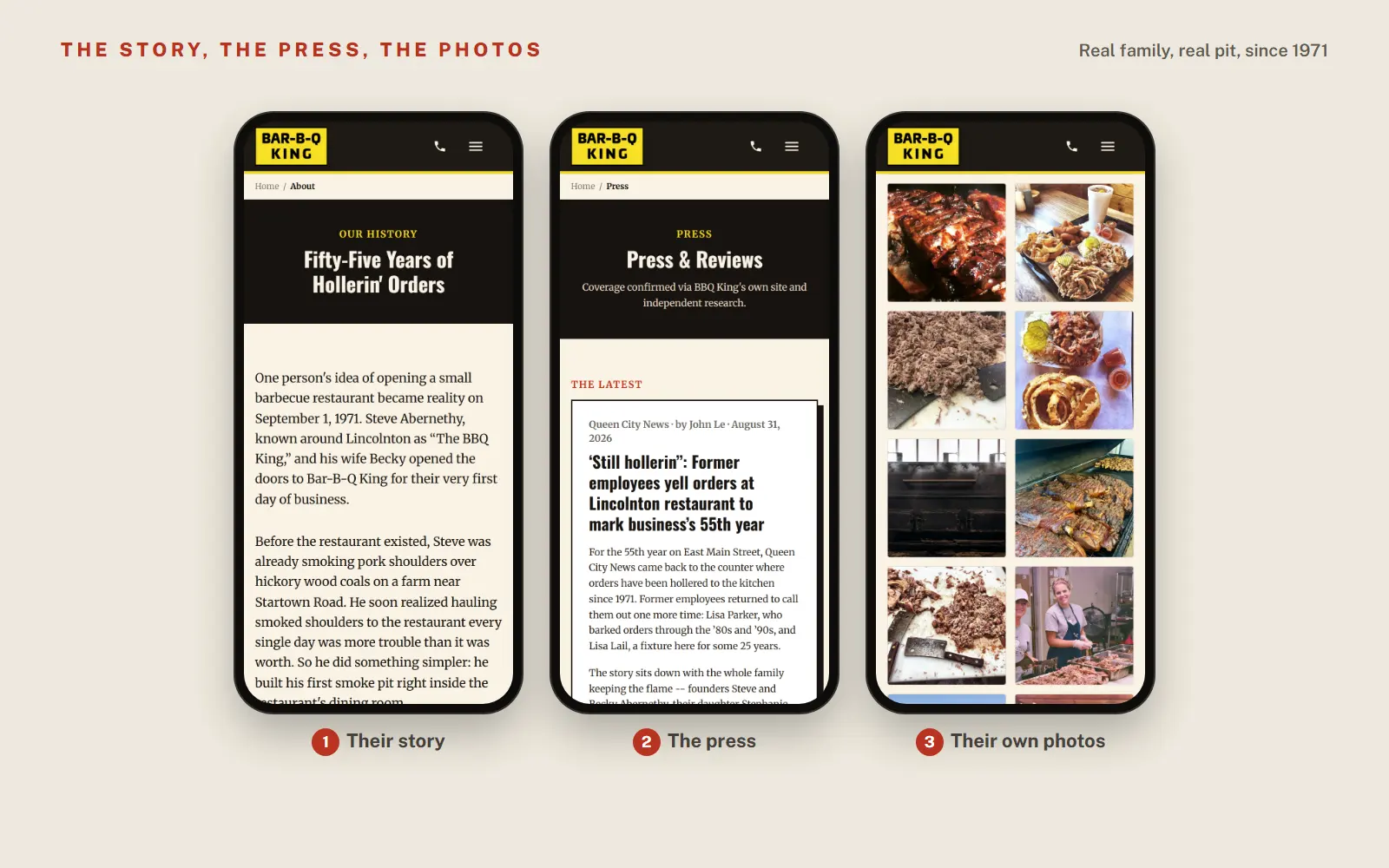
Want to see how real photos look across a whole site? Browse the work, or check your current site with the free site check.
Quick answers
Can I use my phone to take photos for my business website?
Yes. Any phone from the last several years takes photos good enough for a website. Light, a clean lens and a steady hand matter far more than the camera.
Should website photos be horizontal or vertical?
Take both. Horizontal photos fill the wide spots on a computer, and vertical ones fit phones and stories. If you only take one, go horizontal and step back a little so there is room to crop.
Are stock photos bad for a small business website?
They are not bad, just forgettable. People spot them, and they say nothing about you. One real photo of your truck or your work does more than ten polished stock shots.
How do I send full size photos to my web designer?
Use a shared Google Drive or Google Photos album, iCloud shared album, or email them as attachments at actual size. Avoid sending through Facebook or Messenger, which shrink and compress them.
How many photos do I need for a small business website?
Aim for 20 to 40 good ones to start: the shot list in this post covers it. More is better, because your designer can pick the best and leave the rest out.